
Leads
LinkedIn activity tag
See which leads actually use LinkedIn — Active, Fading or Inactive — and keep inactive ones out of your ICP or campaigns.
An invitation to someone who hasn't touched LinkedIn in a year will sit unseen. The activity tag tells you, for each lead, how recently they've been active on LinkedIn, so you can spend your weekly invitations on people who will see them.
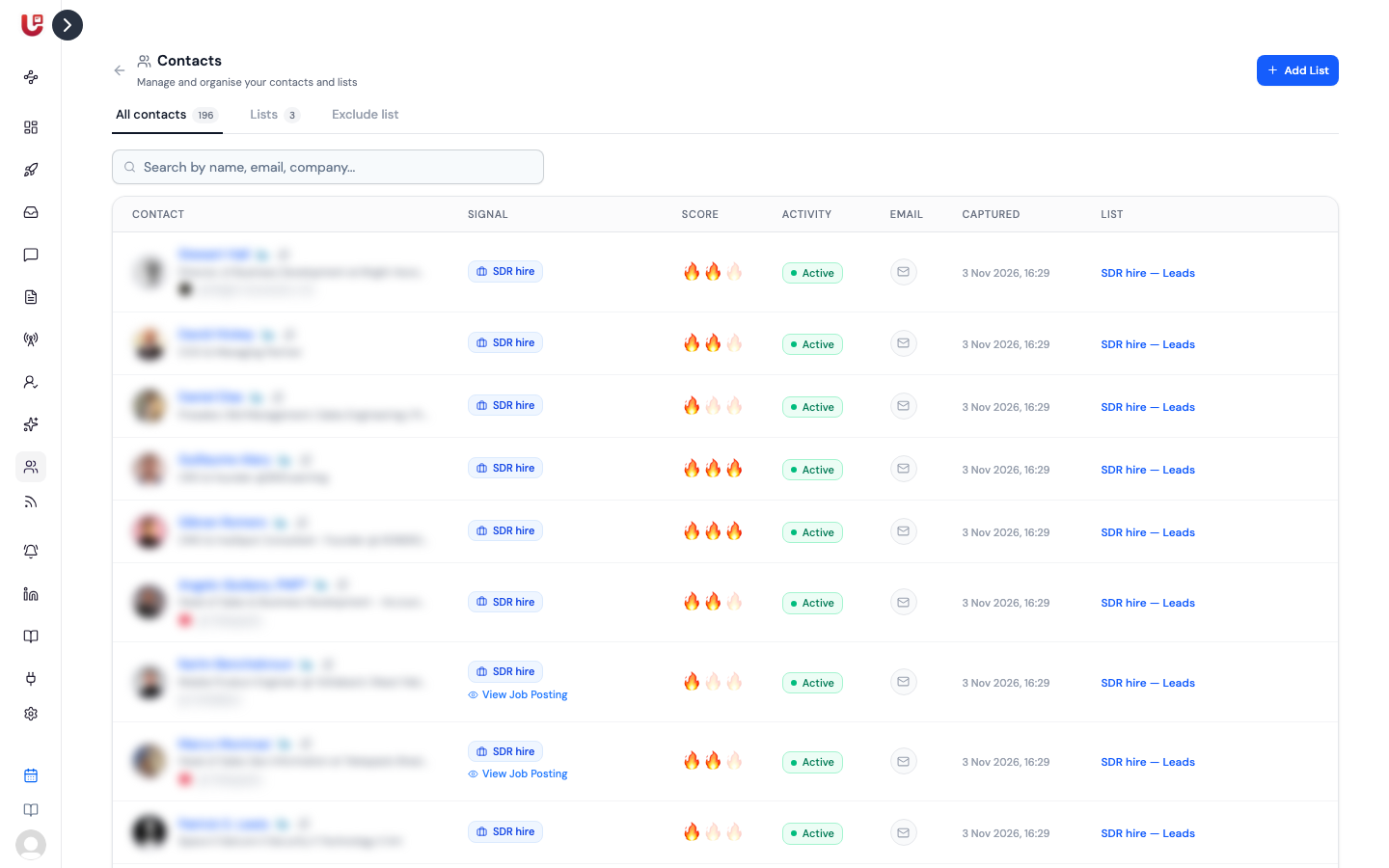
Activity tags are on for newer workspaces. If you don't see an Activity column on the Contacts page, ask us to switch it on.
The tags
| Tag | Their latest LinkedIn post, comment or reaction |
|---|---|
| Active | Within the last 30 days |
| Fading | Within the last 6 months |
| Inactive | More than 6 months ago, or none found |
| — | Not checked yet |
Hover a tag to see the date of their last post, comment or reaction.
The tag measures engagement, not logins. Someone who reads LinkedIn every day but never posts, comments or reacts shows as Inactive.
Where you see it
- The Activity column on the Contacts page, in All contacts and inside a list.
- The Activity and Last Activity columns in a list's Export CSV.
Leads found by your signals are checked as they're captured.
Acting on it
You can use the tag in two places.
In your ICP. Turn on Exclude inactive LinkedIn profiles. Signals then drop people with no post, comment or reaction in 6 months before they reach your list. See Your ICP.
In a campaign. Turn on Skip inactive LinkedIn profiles in the campaign's Automation Trigger settings, where you choose the lists it enrols from. People with no activity in 6 months stay in your list but aren't enrolled.
Use the campaign option if you want to keep inactive people for other channels, like email. Use the ICP option if you never want them in the list at all.
Tips
- Fading leads are still worth contacting. They're active, just not often.
- Lean on Active leads for your most important campaigns. They're the most likely to accept and reply.