
Listening & insights
Saved and archived posts
Keep the posts you want to act on in Saved Posts, and clear the rest out of your Feed with Archived Posts.
Saving and archiving both take a post out of your Feed. Saving keeps it somewhere you'll come back to. Archiving puts it away.
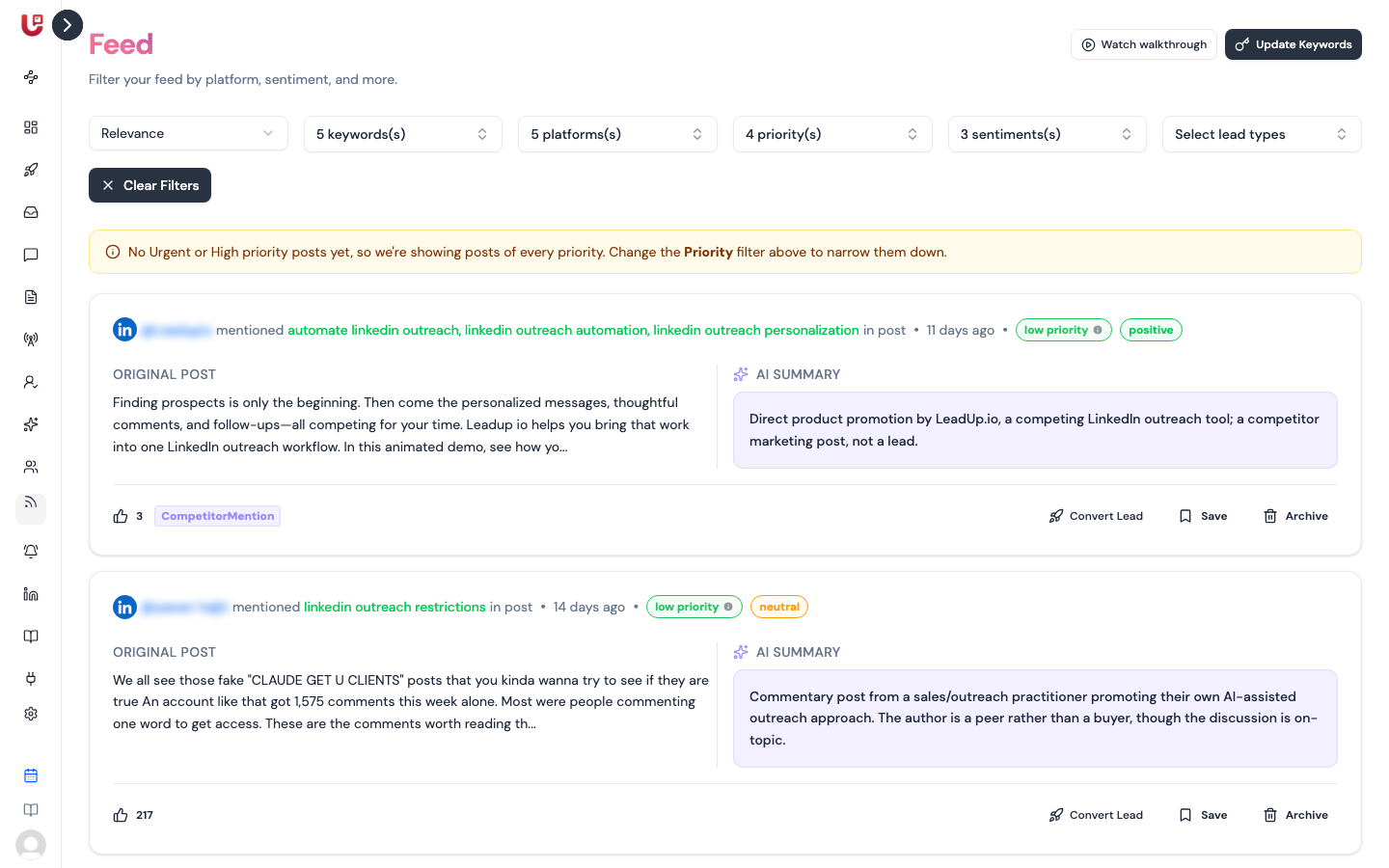
Save a post
Click Save on a card, or in the post's panel. The post moves to Saved Posts in the sidebar.
Use it for posts you want to reply to later, share with a teammate, or turn into a lead.
Archive a post
Click Archive on a card, or in the post's panel. The post moves to Archived Posts.
Use it for posts you've handled, or that aren't relevant. Archived posts never come back into your Feed on their own.
Working with saved and archived posts
Both pages work like the Feed. They have the same sort and filters, and each post opens the same panel, so you can still Generate a reply or Convert Lead.
| You're on | To put a post back in the Feed |
|---|---|
| Saved Posts | Unsave |
| Archived Posts | Unarchive |
A post can be saved and archived at the same time. It only returns to the Feed once it's neither.
Saved Posts and Archived Posts start filtered to Urgent and High priority, like the Feed. If a post you saved is missing, add Medium and Low to the Priority filter.
Who sees them
Saved and archived posts belong to the workspace, not to you. Everyone on your team sees the same lists.