
Outreach
Outreach Overview
What each number on the Outreach Overview counts, and where to go next.
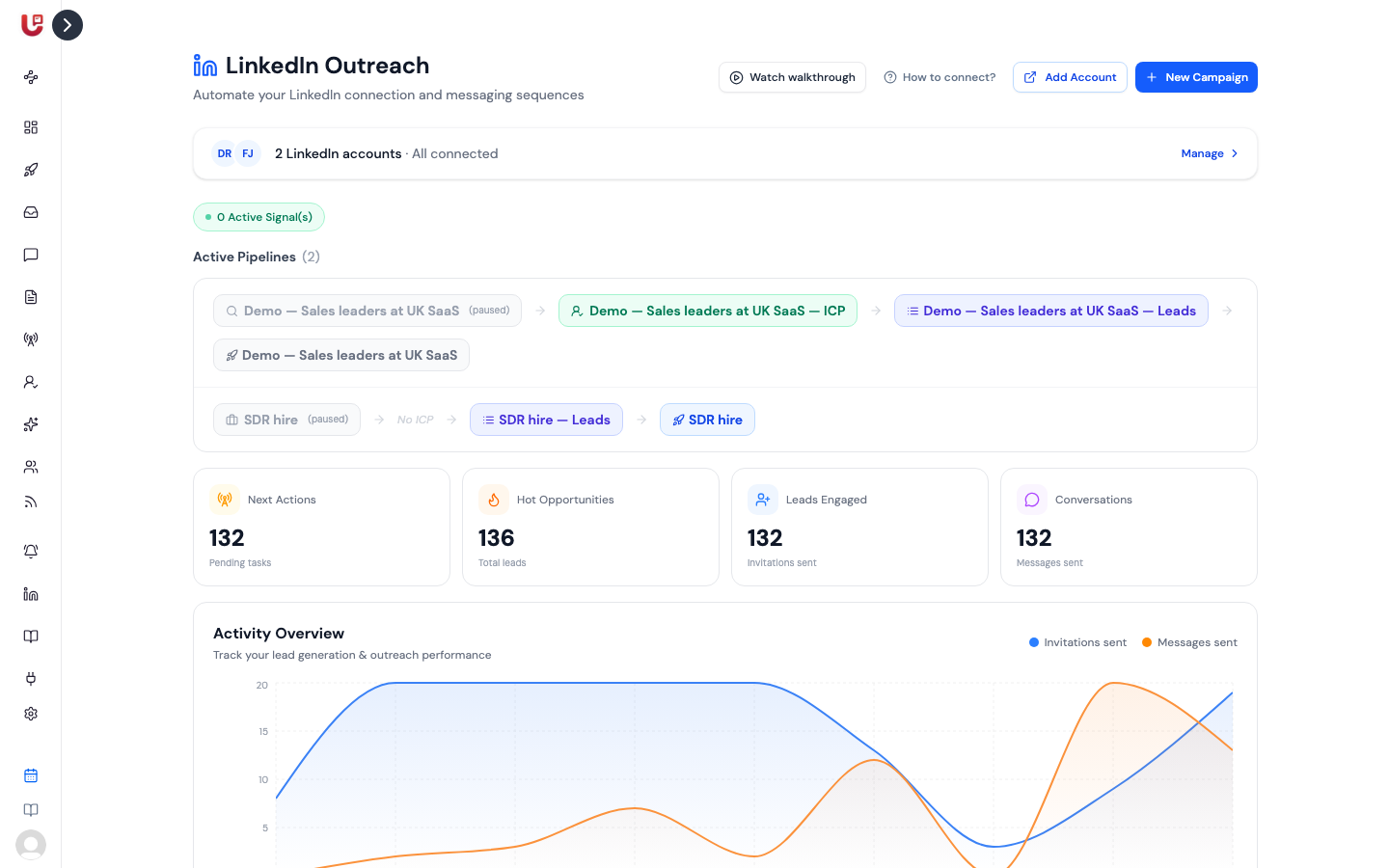
Overview is the first page under Outreach in the sidebar. It sums up every campaign in your workspace on one screen, so you can see at a glance whether outreach is moving.
Before your first campaign
Until you create a campaign, Overview shows how the pieces fit together instead of numbers: where your leads come from, connecting a LinkedIn account, creating a campaign, and the signals you can use. Each box links to the page that sets it up.
If your workspace is outreach-only (you bring your own leads), this section is called Your Leads and points you to importing the leads you already have. Signals and ICP don't appear, because you don't need them.
Your LinkedIn accounts
The strip at the top shows your connected accounts and their state:
- Connected or All connected — everything is working.
- N need reconnecting — one or more accounts lost their LinkedIn session. Campaigns can't send from them until you reconnect.
Click Manage to open the Accounts page. If no account is connected at all, you'll see a Connect Now button instead. Your campaigns, contacts and conversations are kept while an account is disconnected.
The four numbers
| Card | What it counts |
|---|---|
| Next Actions | Contacts, across all campaigns, still waiting for a step — everyone at Pending or In progress |
| Hot Opportunities | Every contact enrolled in any of your campaigns |
| Leads Engaged | Contacts who were sent a connection request, including those whose request was skipped because you were already connected |
| Conversations | Contacts that at least one step has run for |
These count people, not actions. Someone who received three messages counts once. They also cover all time — for a 7, 30 or 90-day view, use Reports.
Activity Overview
The chart shows, day by day, how many invitations and messages went out across all your campaigns. Your first step counts as an invitation and every later step counts as a message.
A flat line on a weekday usually means your sending window was closed, your daily limits were already used, or the campaign was paused.
Latest Hot Leads
The five captured leads with the highest AI fit score, from all your lead lists — not just people in campaigns. The flames show the score:
| Flames | Fit score |
|---|---|
| 🔥🔥🔥 | 70 or more |
| 🔥🔥 | 40–69 |
| 🔥 | Below 40 |
Click View More to open Contacts & Lists.
Latest Replies
The five most recent replies across all campaigns, with the start of what each person said. To answer them, open the Unified Inbox.
Pipelines and signals
Above the numbers you'll see how many signals are active and a strip of your Pipelines: signals feeding lists, lists feeding campaigns. See Pipelines.