
Outreach
A/B testing
Testing two to four wordings of a campaign's sequence against each other: turning it on, writing variations, splitting leads between them, reading the results and keeping the winner.
A/B testing sends different wordings of the same sequence to different leads, so you can see which one gets more connection requests accepted and more replies.
The steps, delays and reply rules stay the same for everyone. Only the wording changes. Each lead is given one variation (A, B, C or D) and keeps it for the whole sequence, so a reply can be credited to one wording.
A/B testing is off by default. A campaign that never turns it on works exactly as before.
Turn it on
Open the campaign and click Advanced at the top right, then switch on Enable A/B testing.
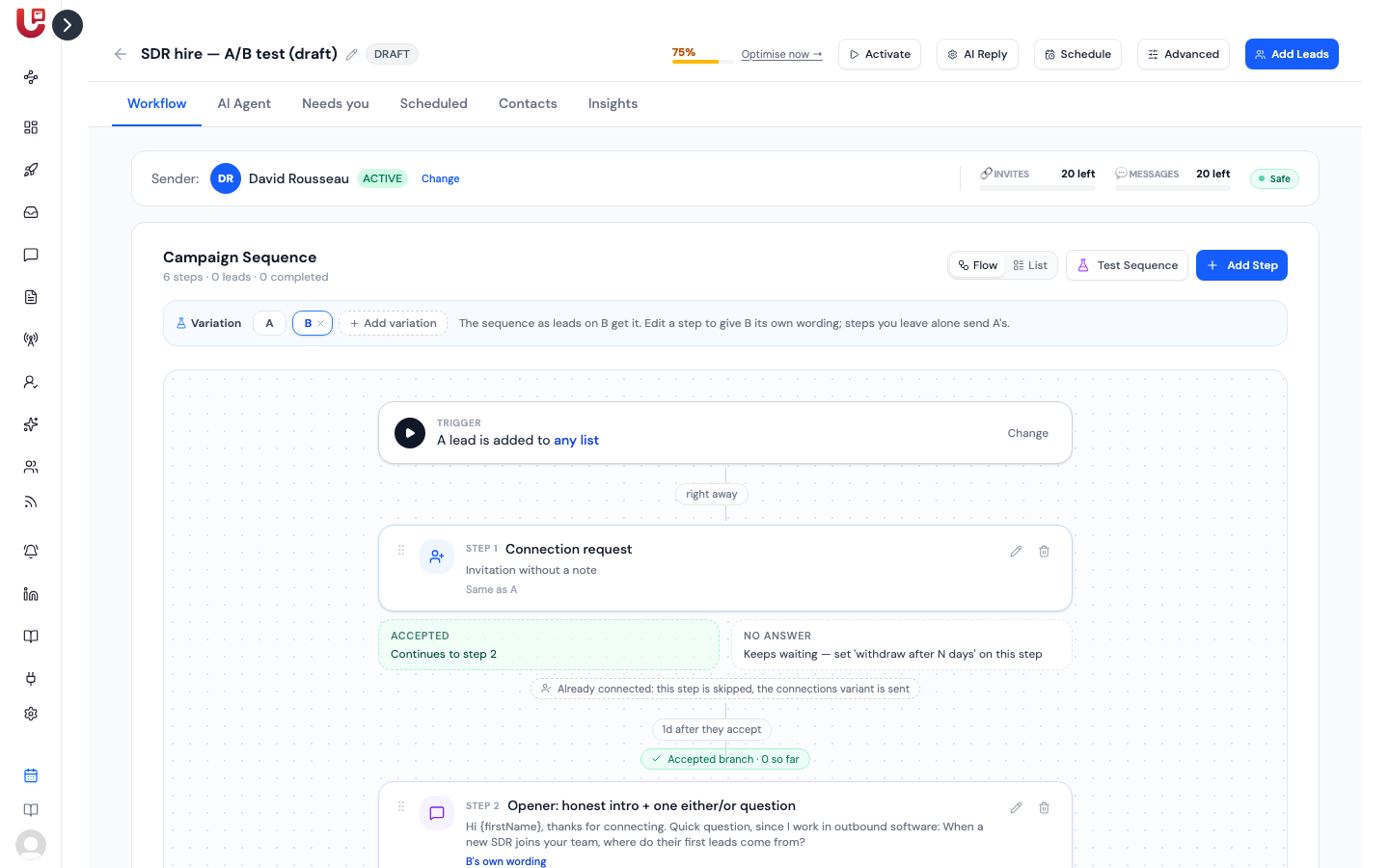
A Variation bar appears above the sequence on the Workflow tab. To start with it shows only A: the sequence as you wrote it.
Write a variation
- On the Workflow tab, click + Add variation. The bar now shows B, and the sequence is shown as leads on B will get it.
- Click the pencil on a step you want to test. The editor opens on B's wording, starting as a copy of A's.
- Reword it and click Save Step.
Each step is then marked B's own wording or Same as A. You only need to reword the steps you want to test: a step you leave alone sends A's text to everyone.
Click A or B in the bar at any time to see the whole sequence as that variation's leads get it. Add a C or D the same way.
| You can vary | How |
|---|---|
| Connection request note | A can send no note while B sends one, or each can have its own note. |
| Message | Each variation has its own text, with the same variables. |
| AI message or follow-up | Each variation has its own brief for the AI. |
A wording you leave identical to A's isn't saved as a variation. To remove a variation from every step at once, click the × next to its letter in the Variation bar.
Split leads between variations
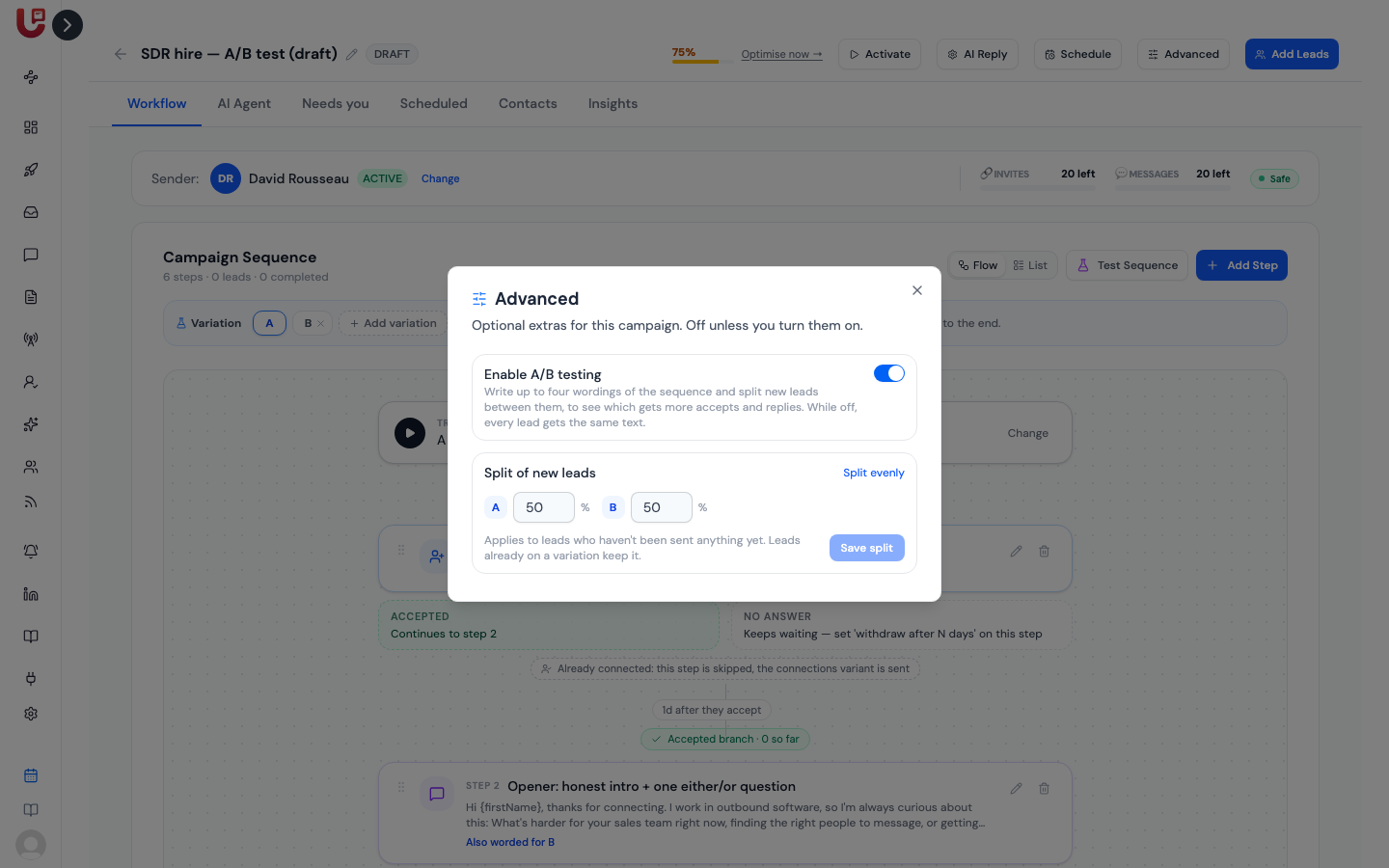
New leads are split evenly unless you say otherwise. To change the split, click Advanced and set a percentage for each variation under Split of new leads, for example A 70% and B 30%. The percentages must add up to 100.
How leads are given a variation:
- A lead gets their variation just before their first connection request or message goes out, and keeps it to the end.
- A new split applies to leads who haven't been sent anything yet. Leads already on a variation stay on it.
- Leads who had already been contacted when you started the test stay on the original wording and aren't counted in the results.
- With small numbers the split is approximate. Ten leads at 50/50 can land 6 and 4; a few hundred land close to the percentages.
Read the results
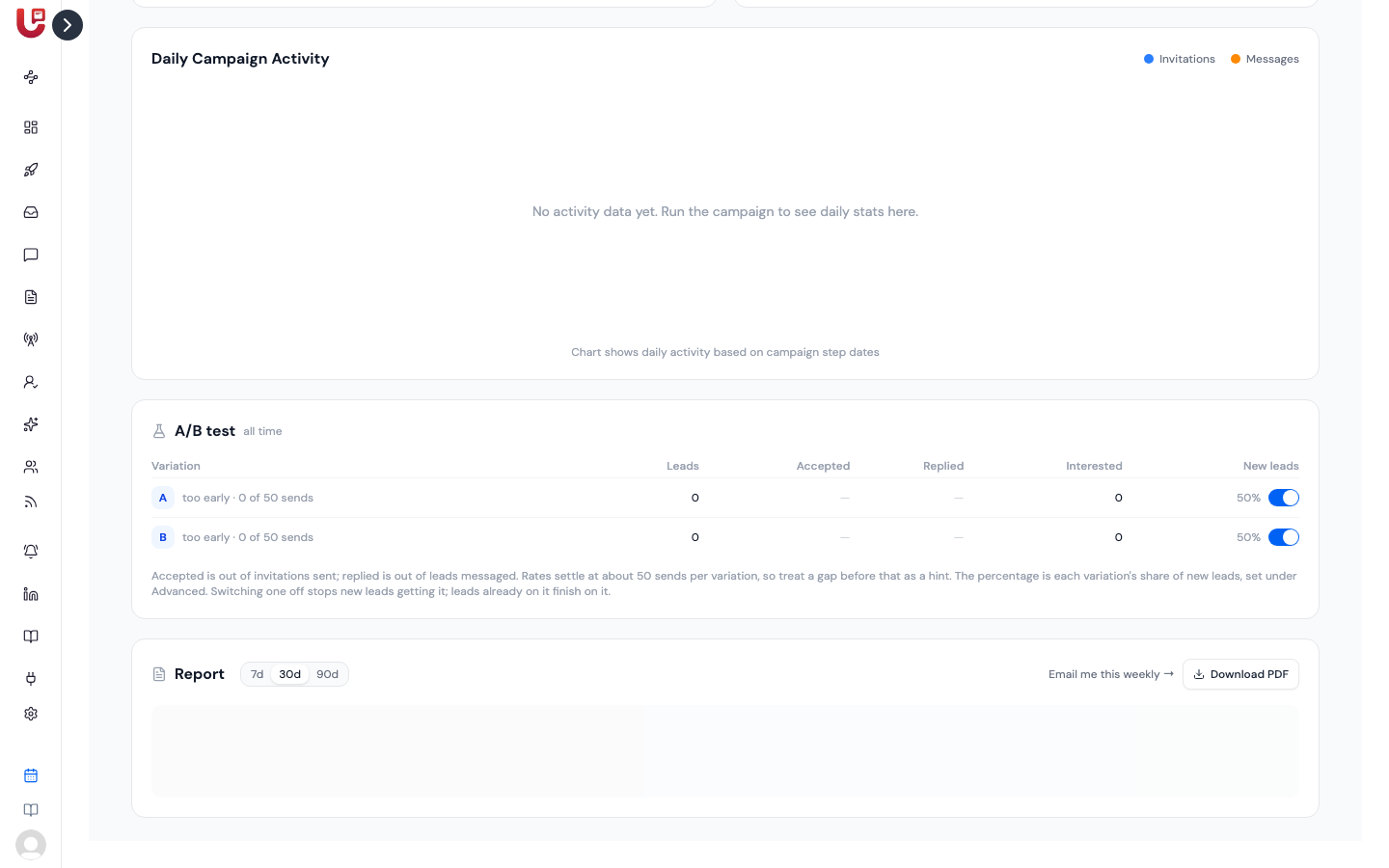
The Insights tab shows an A/B test table with one row per variation:
| Column | What it means |
|---|---|
| Leads | Leads given this variation |
| Accepted | Connection requests accepted, out of those sent |
| Replied | Leads who replied, out of those messaged |
| Interested | Replies the AI classed as interested |
| New leads | The variation's share of new leads, with a switch to stop giving it to new leads |
A variation shows too early until it has 50 sends. Before that, treat a gap between two variations as a hint, not a result.
LinkedIn allows about 100 connection requests a week per account. Two variations get about 50 each per week; four get about 25. Test two at a time if you want an answer within a couple of weeks.
Switching a variation off in the table stops new leads getting it. Leads already on it finish the sequence on it.
End the test and keep the winner
Click Advanced and switch Enable A/B testing off. If the campaign has variations, you're asked Which variation do you want to keep?
Pick one and click Keep and turn off A/B:
- Its wording becomes the sequence for everyone, starting with each lead's next step.
- The other variations are deleted.
- The results stay on the Insights tab, marked as ended.
Click Cancel, keep testing to leave the test running.
Preview a variation
Click Test Sequence on the Workflow tab, pick a contact, and choose which variation to preview under A/B variation. Nothing is sent.