
Listening & insights
Keyword groups
Create keyword groups, choose where each one searches, narrow Reddit to the right subreddits, and pick keywords that find buyers.
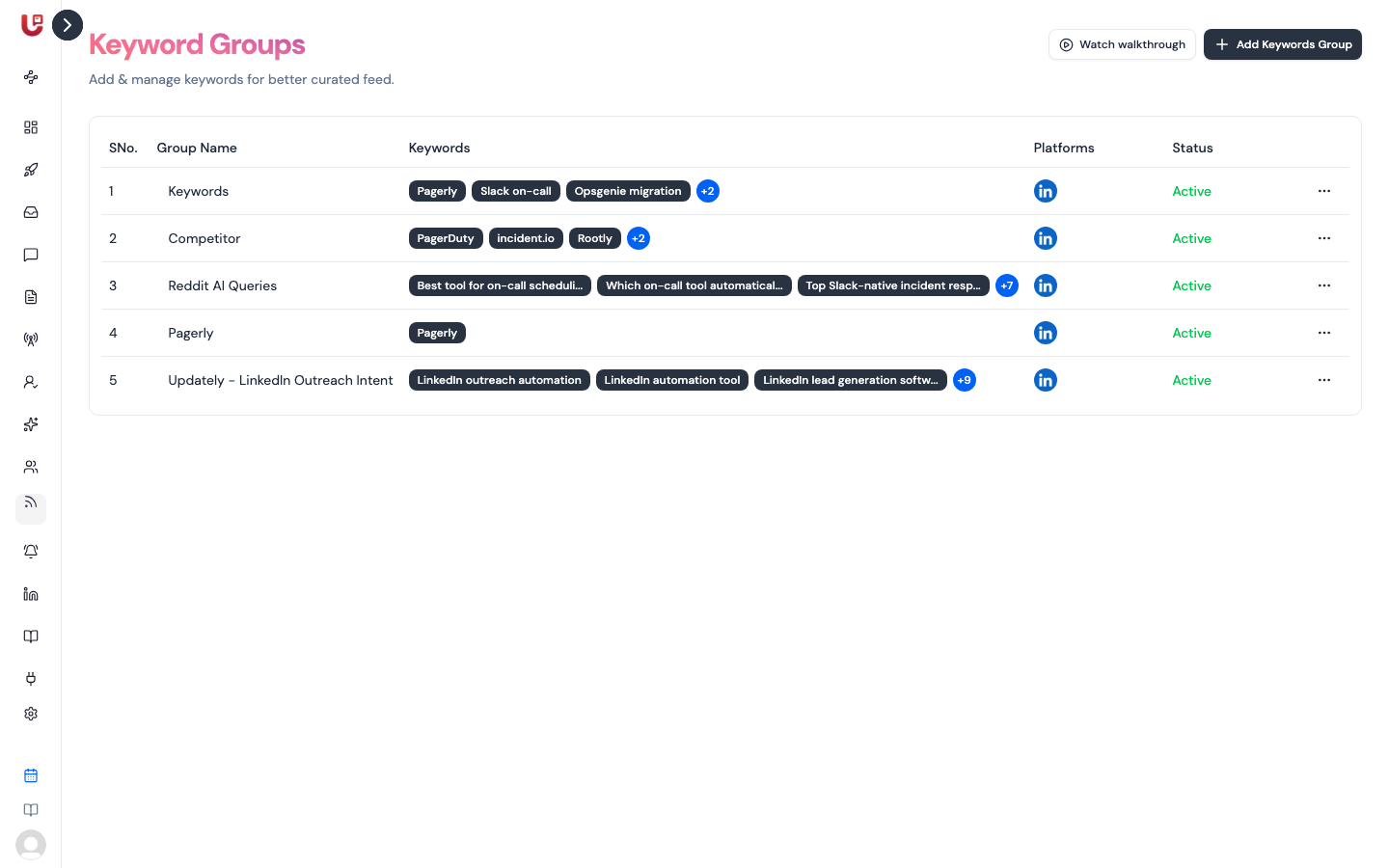
A keyword group is a set of phrases Updately searches for together. Every post in your Feed came from one of them. Open Keyword Groups in the sidebar to manage them.
Create a group
- Click Add Keywords Group.
- Enter a Group Name — name it after the conversation it catches, e.g. "On-call pain".
- Pick a Group Color. It marks the group in the sidebar.
- Add keywords. Type one and press Enter, or paste a comma-separated list.
- Under Platforms, tick where to search: Reddit, Twitter and LinkedIn. All three are ticked for a new group. You need at least one.
- For Reddit, optionally fill in Only include these subreddits or Exclude
these subreddits. Enter the name without
r/. - Click Save Keyword Group.
Updately starts searching for the group as soon as you save it.
In some LinkedIn outreach workspaces, LinkedIn is always ticked and can't be turned off.
Manage groups
The table shows each group's name, its first keywords, its platforms and its Status. Use the ⋯ menu on a row to Edit or Delete it.
Turn on Pause Notifications in a group to pause it. A paused group shows as Paused: Updately stops searching for it and leaves it out of your email report until you turn it back on. Posts it already found stay in your Feed.
Groups Updately made for you
When you signed up, Updately may have created a few groups from your answers:
- A group of suggested keywords.
- A group named after your product, which tracks mentions of you.
- A Competitor group with your competitors' names.
- Sometimes a Reddit-only group of questions buyers ask.
You can edit all of them. The product and Competitor groups can't be deleted — they power Feed Competitors and Reputation Management.
How many keywords you can track
The free trial tracks up to 6 keywords. Paid plans track more. Your product and competitor groups don't count towards the limit. If a save goes over it, Updately says so and doesn't save the change.
Choosing good keywords
- Use phrases that imply a need. "pagerduty alternative" finds buyers; "incident management" finds articles.
- Write how buyers talk, not how you market. "can't get anyone to answer our support emails" beats "omnichannel helpdesk".
- Add competitor names to the Competitor group, not to a keyword group. Posts about switching from a competitor score as Urgent.
- Avoid single common words. "sales" or "growth" match thousands of irrelevant posts.
- Narrow Reddit with subreddits when a keyword means different things in different communities.
- Split by intent. One group per conversation makes the Feed's Keywords filter useful.
Keywords decide which posts are found. To change which ones rank highest, edit Preferences instead.