
Listening & insights
Reputation Management
See what people say about your brand, grouped by AI into positive and negative topics, with a suggested next step for each.
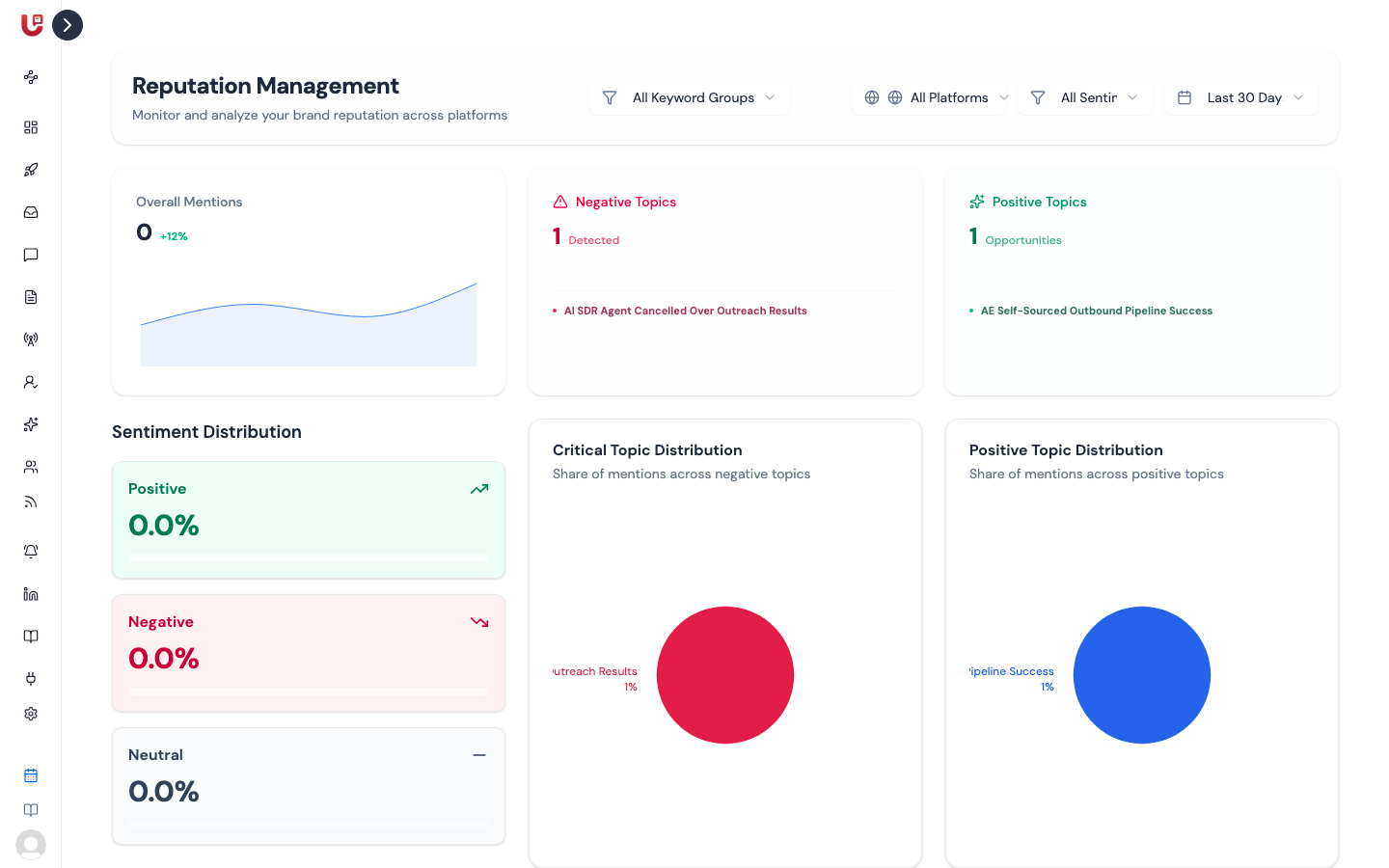
Reputation Management reads the posts your keyword groups found, sorts them by sentiment, and groups them into topics — what people complain about and what they praise. Open it from Reputation Management in the sidebar.
Filters
The bar at the top narrows everything on the page:
| Filter | Options |
|---|---|
| Keyword group | All Keyword Groups, or one group |
| Platform | All Platforms, Reddit, Twitter, LinkedIn |
| Sentiment | All Sentiments, Positive Only, Negative Only |
To see what people say about your brand alone, pick the keyword group named after your product.
The overview
- Overall Mentions — how many posts match the filters.
- Negative Topics — how many complaint themes the AI found, with the first three named.
- Positive Topics — how many praise themes it found.
- Sentiment Distribution — the share of posts that are positive, negative and neutral.
- Critical Topic Distribution and Positive Topic Distribution — how mentions split across each set of topics.
- Platform Distribution — mentions per platform. Shown when the platform filter is All Platforms.
Topics
Below the overview are two lists: Negative Topics and Positive Topics. Each topic has a short title, how many mentions it covers and a one-line summary. Click a topic to open it and see:
- The full summary of what people are saying.
- The posts behind it. Click one to open it, reply or save it.
- Recommended Remediation (negative topics) or Growth Strategic Action (positive topics) — a practical next step.
Topics are built from your highest-scoring posts of each sentiment. Updately refreshes them about once a day.