
Workspace & settings
Organization settings
The company details Updately's AI works from, and the preferences that shape what it finds for you.
Settings → Organization holds the facts about your company. Updately's AI reads them when it writes messages, scores posts and describes what you sell. If something here is out of date, the AI is working from the wrong brief.
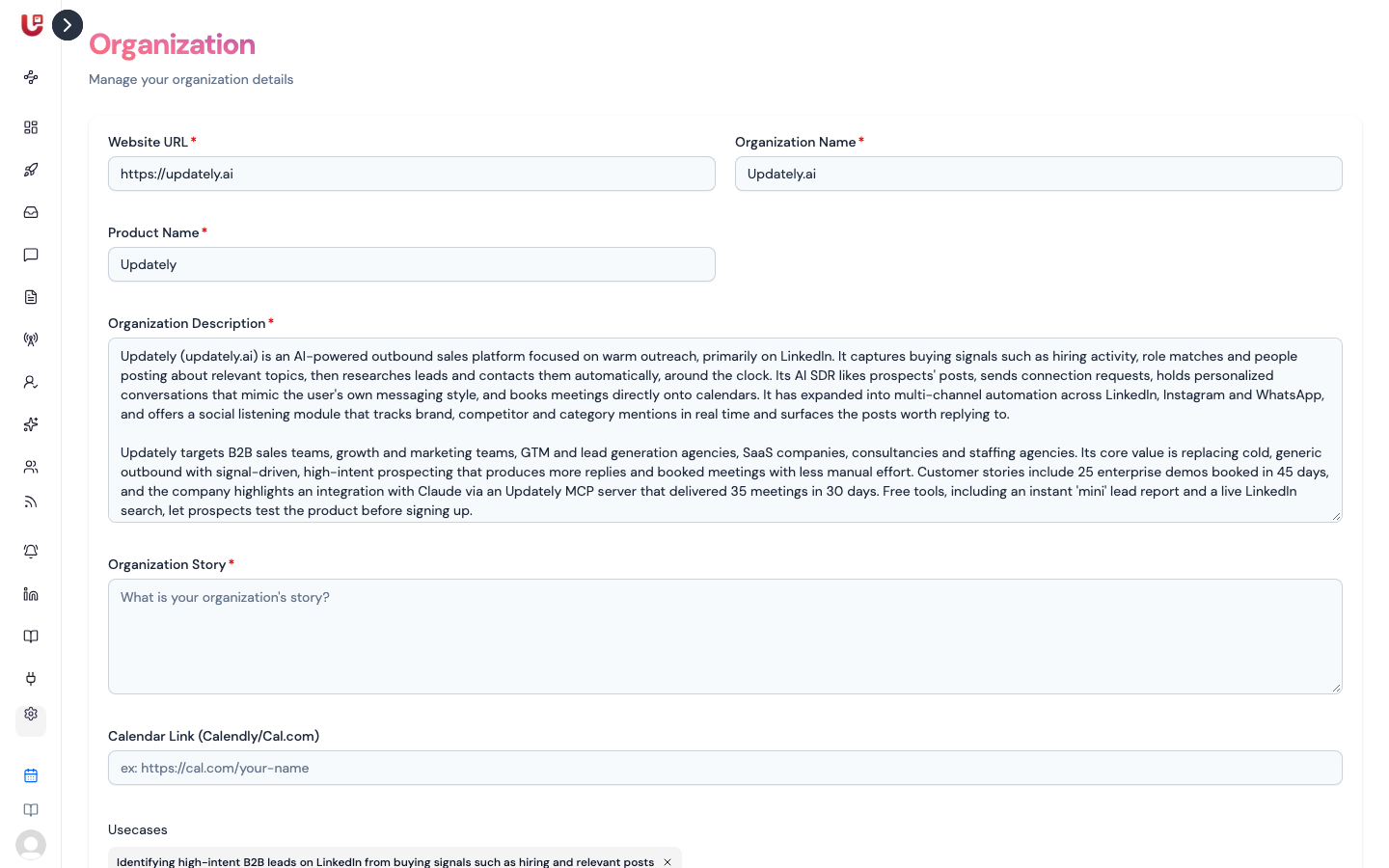
Most of it was filled in when you signed up. Come back whenever your product or positioning changes.
Organization details
| Field | What it's for |
|---|---|
| Website URL | Your company website. |
| Organization Name | Your company name. It's also the workspace name teammates see in their invite email and in the workspace switcher. |
| Product Name | What you sell. The AI uses it when it writes about your product. |
| Organization Description | What your company does. The AI uses it to judge how relevant a post or lead is, and to write messages that make sense for your business. |
| Organization Story | The background to your company — why it exists and who it's for. |
| Calendar Link (Calendly/Cal.com) | Your booking link. When the AI invites someone to book a call and the campaign has no link of its own, it uses this one. |
| Usecases | Short tags for what people use your product for, like "SEO" or "Content Marketing". Add at least one. Type a tag and press Enter, or paste several separated by commas. |
All fields except the calendar link are required. The description and the story
each need at least 100 characters, and links need the full address, starting
with https://. Click Save when you're done.
Write the description the way you'd explain your company to a new sales hire: what you sell, who buys it, and what problem it solves. Vague descriptions lead to vague messages and looser scoring.
AI preferences
Below the details is AI preferences. These two answers tell the AI which posts are real leads and how to rank your social feed.
| Question | What to write |
|---|---|
| What should we find? | The people and conversations you want. For example: B2B founders asking for help with lead generation or conversion rates. |
| What should we leave out? | What to push down. For example: agencies and consultants promoting their own services, generic tips threads, job posts. |
Click Save preferences. Your feed is re-scored with the new preferences, which takes a few minutes — refresh the page after that to see the change.