
Outreach
Knowledge base
The facts the AI is allowed to use when it answers prospects — what to put there and how it's used.
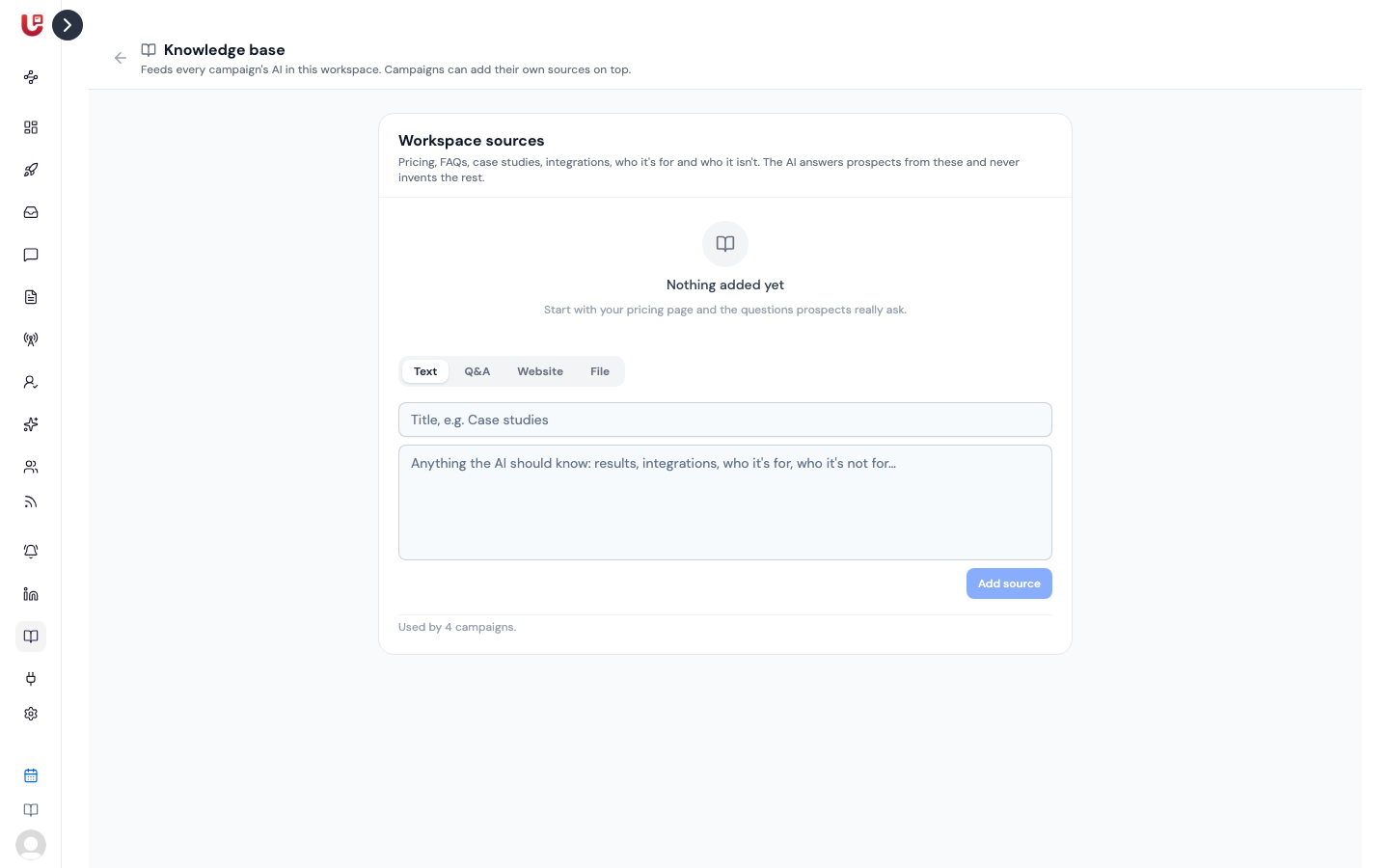
The AI only states facts it has been given. The Knowledge base is where you give them: your pricing, the questions prospects really ask, case studies, integrations, who you're for and who you're not for.
If a prospect asks something the knowledge doesn't cover, the AI doesn't guess. It hands the conversation to you.
Two levels
| Where | Used by |
|---|---|
| Knowledge base page (sidebar) | Every campaign in your workspace |
| A campaign's AI Agent tab → Knowledge | That campaign only, on top of the workspace sources |
Put what's true everywhere — pricing, product, security answers — in the workspace knowledge base. Put what's specific to one audience — a case study for agencies, an offer for one event — on that campaign.
The AI also knows your Product Name and Organization Description from Settings → Organization.
Adding a source
Pick a type, fill it in and click Add source.
| Type | What to add |
|---|---|
| Text | Anything the AI should know: results, integrations, who it's for |
| Q&A | Questions and answers, written as Q: and A: lines |
| Website | A page URL, like your pricing page. Updately reads it once, when you add it. |
| File | A PDF, Word (.docx), text, Markdown or CSV file, up to 25 MB. Only the text is kept. |
Click a source's title to see exactly what the AI reads. Click the bin to remove it.
A website is read when you add it, not again later. When the page changes, remove the source and add it again. A scanned PDF has no readable text, so it can't be added — paste the text instead.
Limits
- Up to 10 sources in the workspace knowledge base, and up to 10 on each campaign.
- Up to 12,000 characters are kept from any one source. The rest is cut.
- Workspace sources are read first, then the campaign's own. If together they're very long, the last ones are cut short. Keep each source focused.
How the AI uses it
The knowledge is used whenever the AI writes from a conversation:
- Answering replies with Reply Autopilot.
- Follow-ups for quiet leads.
- From the conversation message steps.
What makes good knowledge
- Answer the real questions. Look at your last twenty replies. What did people ask? Write those answers as Q&A.
- Be specific. "$39 per seat per month, billed monthly" lets the AI answer. "Flexible pricing" makes it hand off.
- Say who it's not for. It helps the AI end conversations politely that were never going anywhere.
- Keep it current. An out-of-date price is worse than none. The AI will repeat it.