
Outreach
AI Chat
Ask in plain English to find leads, or to set up a signal, an ICP or a campaign.
AI Chat lets you type what you want instead of filling in forms. Open it from AI Chat in the sidebar.
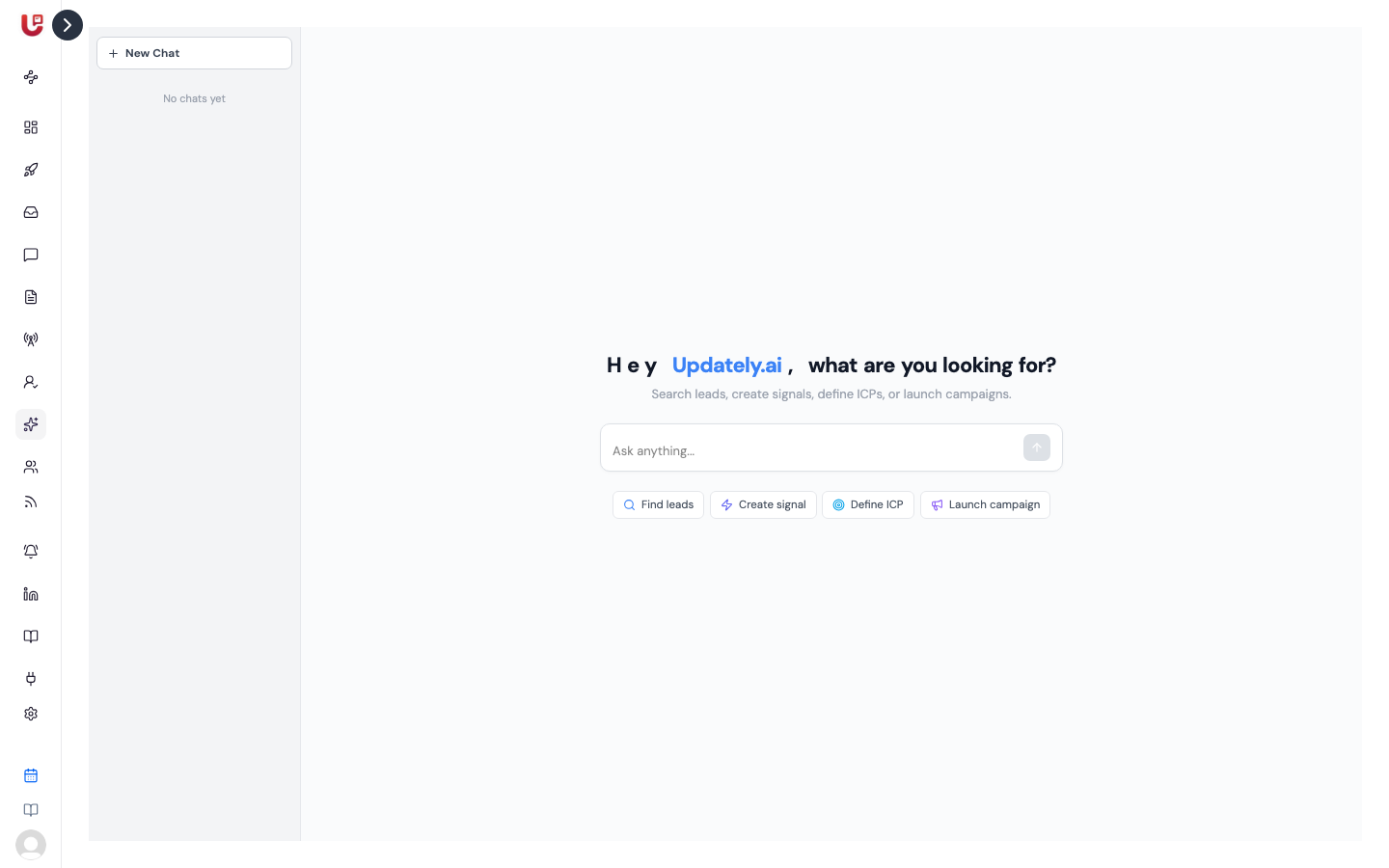
It does four things: finds people, and sets up signals, ICPs and campaigns. Nothing is created until you confirm it.
What you can ask
| Ask for | Example | What you get |
|---|---|---|
| Leads | "Find heads of sales at SaaS companies in India" | A table of matching LinkedIn profiles |
| A specific person | "Allan Frese at Trustpilot" | Their profile, if it can be found |
| A signal | "Create a signal for VP Engineering hiring in Berlin" | A signal preview to confirm |
| An ICP | "Define ICP for CTOs at Series A startups in US" | An ICP preview to confirm |
| A campaign | "Create campaign Q3 Outreach for DevOps leads" | A campaign preview to confirm |
The four buttons under the input box — Find leads, Create signal, Define ICP, Launch campaign — send an example of each.
Searches work best with a job title plus at least one of: location, industry, company size or company names. A single word like "sales" gets a question back, not a search.
Finding leads
Results appear as a table, all selected. Untick anyone you don't want, then use Save N selected to list… to add them to one of your lead lists. Search results aren't kept anywhere until you save them.
Lead search runs through your connected LinkedIn account. Connect one first on the Accounts page.
Creating a signal, ICP or campaign
When you ask for one, AI Chat shows a Preview card with every field it filled in. Check it, then click Create — or Cancel.
- Signals can be people searches, job-posting signals, keyword signals or network signals. Fine-tune the result afterwards on the Signals page.
- ICPs take job titles, industries, company sizes, locations and words to exclude.
- Campaigns are created with your first connected LinkedIn account as the sender. They start empty: add steps and contacts afterwards. See Building a campaign.
What it can't do
- List or change what you already have. Your signals, ICPs and campaigns live on their own pages.
- Activate a campaign, send messages or answer replies.
Your chats
Every chat is saved in the list on the left, named after its first message. Click New Chat to start fresh, or the bin to delete one.
Outreach-only workspaces don't have AI Chat. They bring their own leads, so there are no signals or ICPs to set up.