
Listening & insights
Reply to a post
Draft a reply to a post with AI, comment on LinkedIn without leaving Updately, and save the author as a lead.
Open any post in the Feed, Saved Posts or Archived Posts to reply to it. The Your Response box sits under the post.
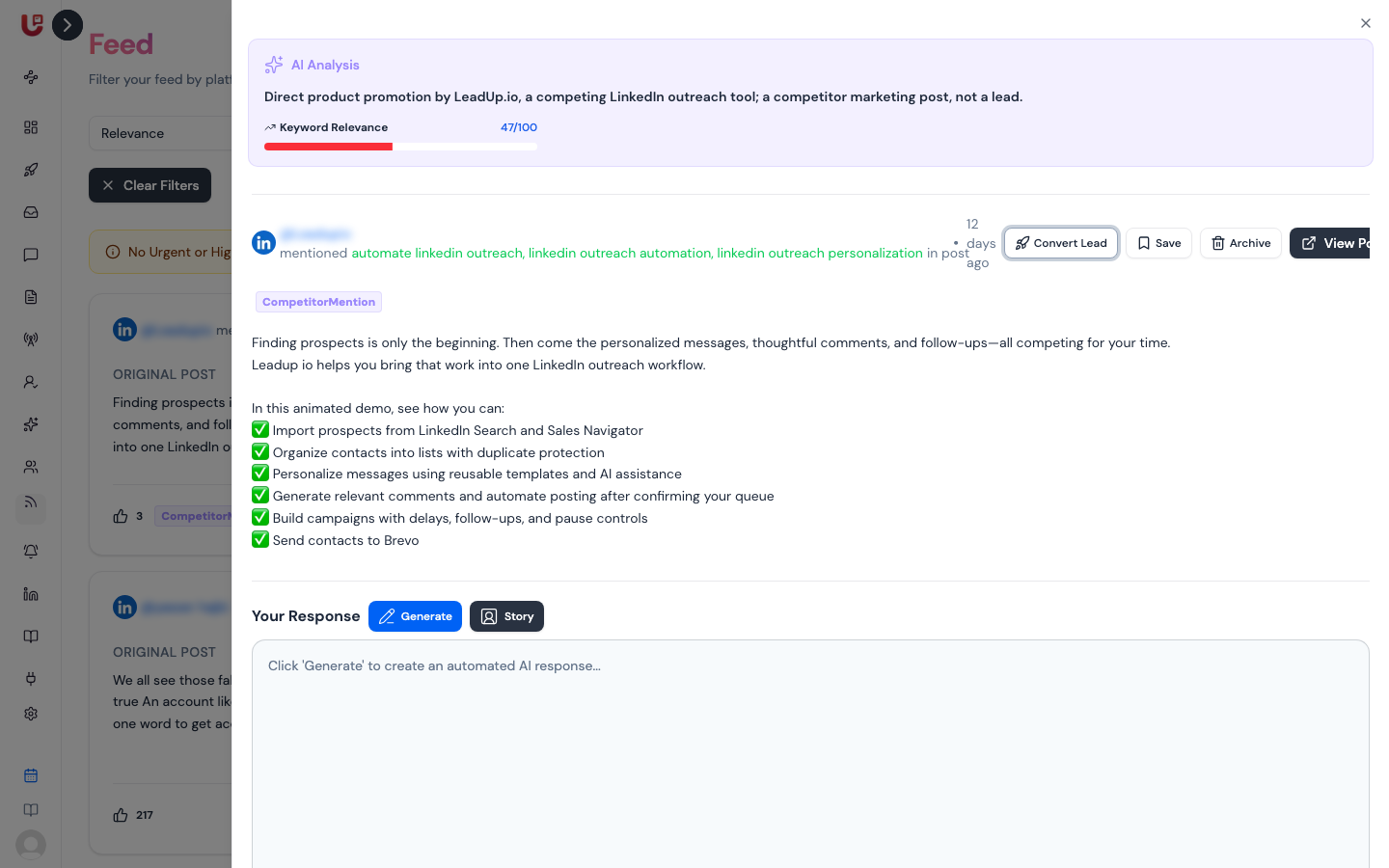
Draft a reply with AI
- Click Generate.
- The first time, Updately asks for your Organization Story — a few lines on why you built the product and who it helps. Write it and save. It's reused for every reply after that.
- Click Generate again. The draft appears in the box.
- Edit it until it sounds like you.
The draft is written from the post, your story, your business description and the keywords the post matched. Change your story any time with the Story button, or in Preferences.
Post it
- Reddit and X: click Copy, open the post with View Post, and paste your reply there.
- LinkedIn: click Post Comment to comment straight from Updately. You can add emoji and attach one image (up to 10 MB). Comments are capped at 1,250 characters — the counter turns red past that.
If you've connected more than one LinkedIn account, pick who comments in Comment as.
Post Comment needs a connected LinkedIn account. See Connect your LinkedIn account.
Save the author as a lead
Convert Lead saves the post's author as a lead. It shows on LinkedIn posts, and on other posts whose author has a LinkedIn profile. Updately tries to add their email and company; if it can't, the lead is saved without them and the message says so.
Converted leads appear on the Linkedin Leads page with name, email, title, organization, location and LinkedIn profile.