
Listening & insights
Preferences
Tell Updately what your business does, which posts count as leads and which to leave out. These settings shape every score in your Feed.
Preferences holds everything the AI knows about your business. It decides which posts rank as leads and how replies are written. Open it from Preferences in the sidebar.
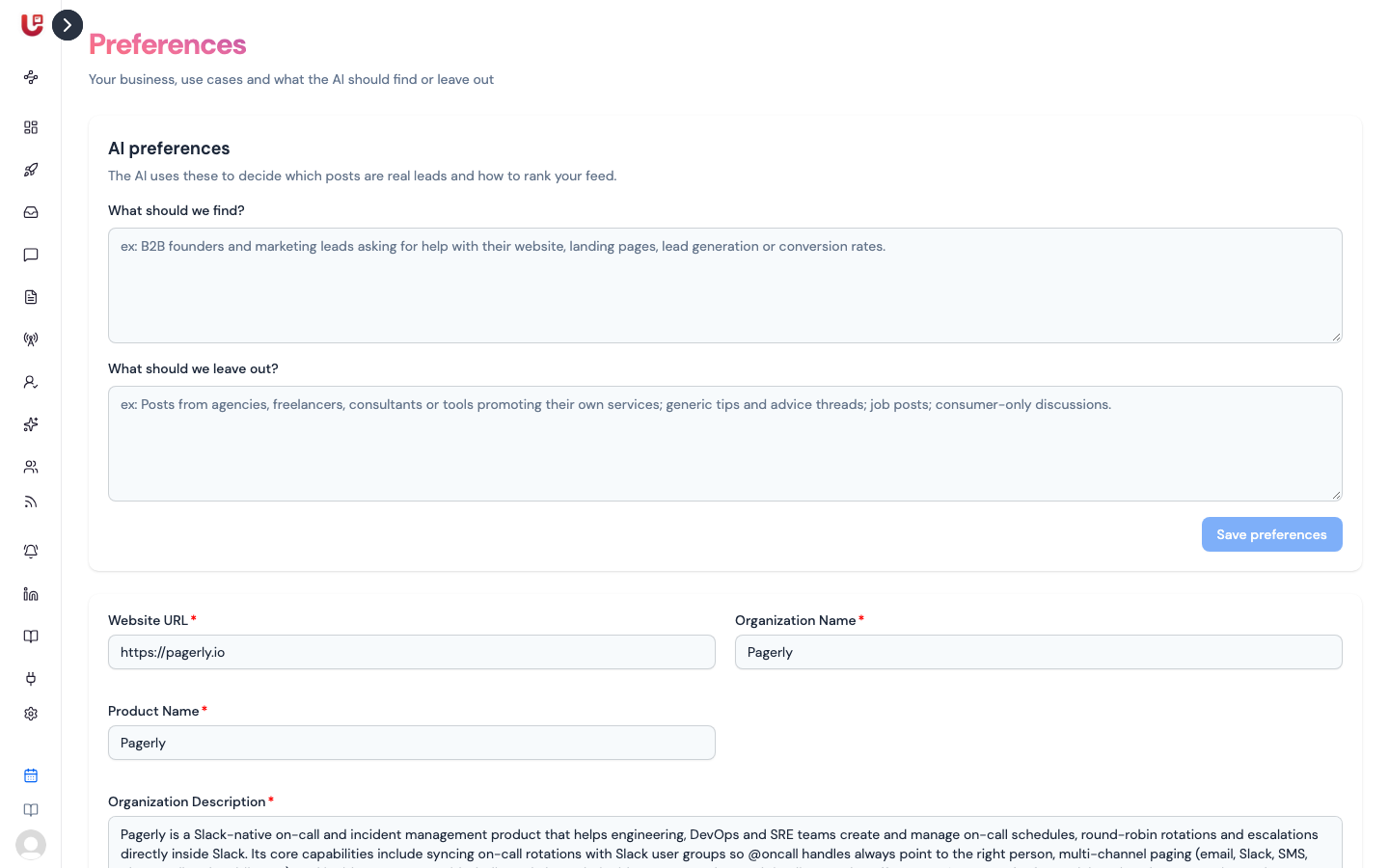
Preferences is in the sidebar of social listening workspaces. In LinkedIn outreach workspaces, the same organization details are under Settings → Organization.
AI preferences
The top card has two questions. Updately's AI reads both before it scores a post.
| Field | What to write |
|---|---|
| What should we find? | Who you want to hear from and what they'd be asking. e.g. "B2B founders asking for help with their website or conversion rates." Required |
| What should we leave out? | Posts that look relevant but aren't leads. e.g. "Agencies or tools promoting their own services; generic tips threads; job posts." |
Click Save preferences. Updately re-scores your Feed — refresh in a few minutes to see the change. Each answer can be up to 2,000 characters.
Posts that match what you left out are marked Low priority, and their AI Summary starts with "Not a lead". See How posts are scored.
Be specific about exclusions. "No agencies, freelancers or consultants selling their own services" works far better than "only real leads".
Organization details
The second card describes your business.
| Field | Used for |
|---|---|
| Website URL | Your site |
| Organization Name | Your company name, used in AI replies |
| Product Name | Your product's name, used when the AI writes about you |
| Organization Description | What you do and who for. The AI scores every post against it |
| Organization Story | Why you built it and who it helps. Used when you click Generate on a post |
| Calendar Link (Calendly/Cal.com) | Your booking link, for AI-written messages that invite someone to a call. Optional |
| Usecases | The jobs your product does, e.g. "SEO", "Content Marketing". Type one and press Enter |
Click Save. Changing your description re-scores your Feed, just like the AI preferences.