
Listening & insights
Feed Competitors
Track how often your competitors are talked about compared with you, what people feel about them, and which subreddits discuss them.
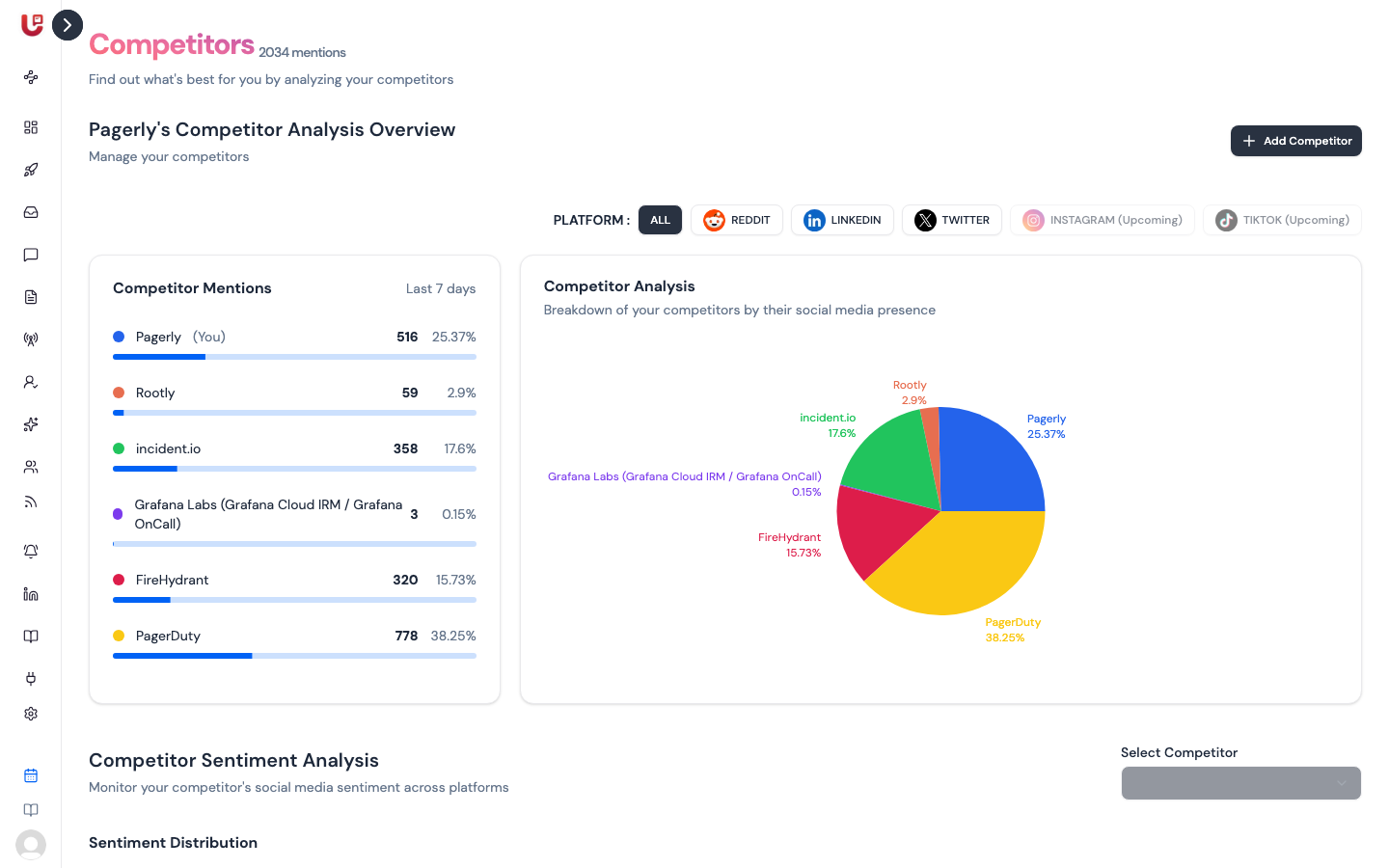
Feed Competitors compares how much people talk about you and your competitors on Reddit, X (Twitter) and LinkedIn, and how they feel about each. Open it from Feed Competitors in the sidebar.
Add, rename or remove a competitor
- Click Add Competitor.
- Enter the competitor's name as people write it, e.g. "PagerDuty".
- Save.
Updately starts searching for the new name straight away. Its numbers can take a minute or so to appear.
To rename or remove a competitor, hover over its row in Competitor Mentions and click the pencil or the bin.
Your competitors live in the Competitor keyword group. Editing them here or in Keyword groups changes the same list. Posts that mention a competitor are scored with that in mind — someone wanting to leave a competitor is marked Urgent.
Competitor Mentions
The top of the page lists each competitor, and you, marked (You):
- Mentions — how many posts mention that name.
- % — its share of all the mentions on the page.
The pie chart next to it shows the same split. Use the PLATFORM buttons to see ALL platforms or just REDDIT, LINKEDIN or TWITTER.
Competitor Sentiment Analysis
Pick a name in Select Competitor to see:
- Sentiment distribution — the share of its mentions that are positive, negative and neutral.
- Top Positive Posts and Top Negative Posts — up to ten of each, highest scoring first.
Negative posts about a competitor are often your best openings: they name the exact pain your product can fix.
Subreddit Analysis
The bottom of the page lists the subreddits where your competitors come up most. Click one to open it on Reddit. Subreddits where competitors are discussed but you aren't are good places to add to a keyword group's Only include these subreddits list.