
Listening & insights
How posts are scored
What the relevance score, priority, sentiment and lead types on each post mean, and how to make them sharper.
Every post in your Feed gets four labels from Updately: a relevance score, a priority, a sentiment and one or more lead types. The AI reads the post alongside your business description, your keywords, your competitors and your Preferences.
Relevance score
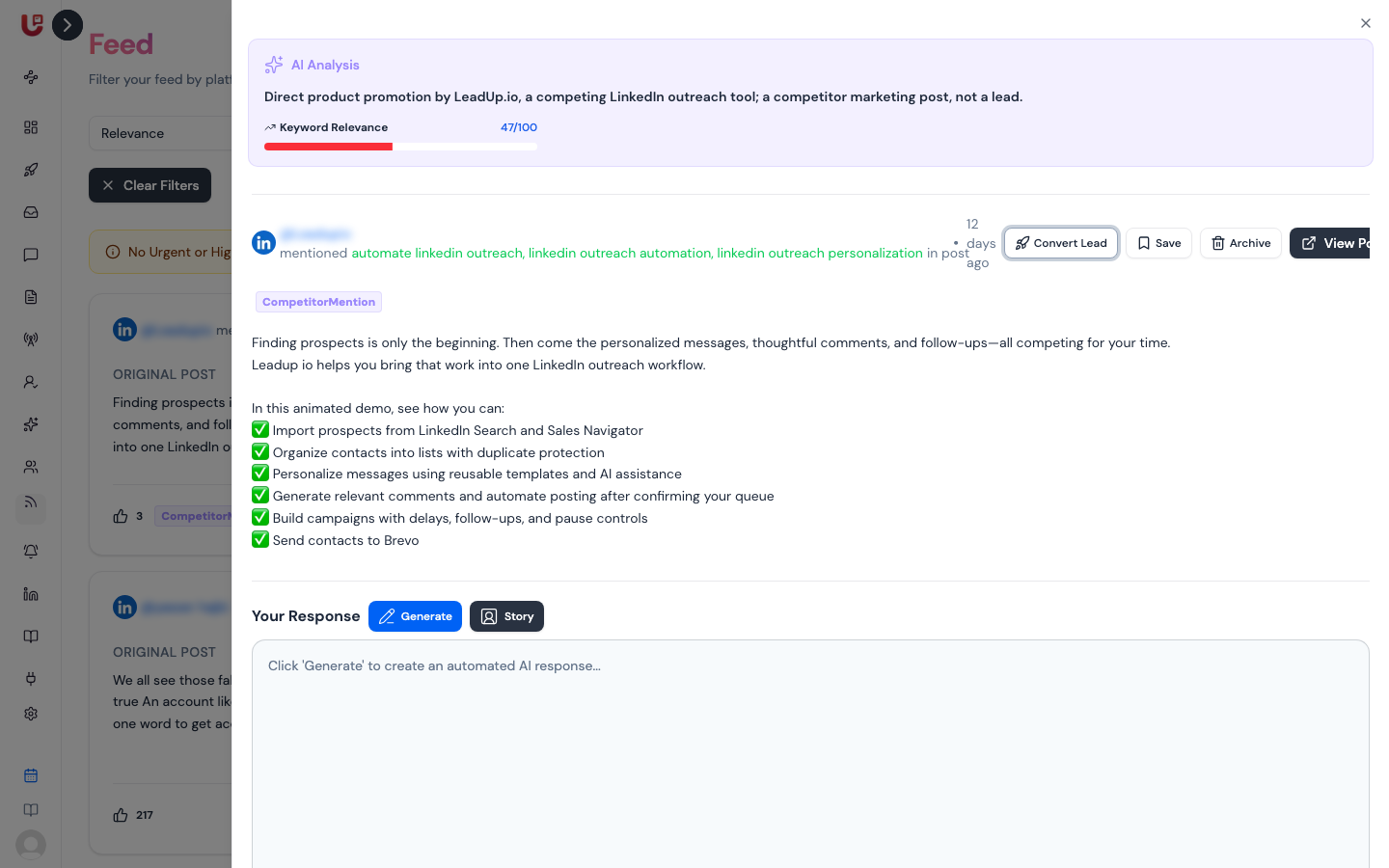
The relevance score runs from 0 to 100. It's the Keyword Relevance bar you see when you open a post, and it's what Sort → Relevance orders by.
It's a weighted mix of six parts:
| Part | Weight | What it measures |
|---|---|---|
| Keyword relevance | 30% | How often your keywords appear, exact matches counting more than partial ones |
| Business alignment | 25% | How closely the post fits what your business does (AI) |
| Engagement | 20% | Likes, shares and comments, plus upvote ratio on Reddit |
| Content quality | 15% | How substantial and useful the post is (AI) |
| Author | 5% | Verified account, follower count and a filled-in profile |
| Freshness | 5% | How recent the post is. Under an hour scores highest; over a month scores lowest |
The bar is red under 50, amber from 50 to 69 and green from 70.
Priority
Priority is the AI's call on how much the post matters to you as a lead. It's what the default Feed filter and the email report use.
| Priority | Meaning |
|---|---|
| Urgent 🔥 | Actively looking to buy or hire now, or wants to leave a competitor |
| High | A clear problem you solve, or someone praising a competitor |
| Medium | A related question or early exploration, or a competitor mention unrelated to what you sell |
| Low | Weak fit, or not a lead at all |
The AI Summary on each card explains the priority in a sentence or two.
What counts as "not a lead"
Updately marks these Low, whatever the topic:
- Posts by people selling the same kind of thing you do — agencies, consultants, freelancers, vendors and tools promoting themselves.
- Generic advice, tips, listicles, "how I grew X" threads, launches and other promotion — unless the author is asking for help with their own problem.
- Anything matching what you told Updately to leave out in Preferences.
A post only counts as a lead when the author could buy from you and is sharing a problem, asking a question or asking for recommendations.
Fill in What should we find? and What should we leave out? in Preferences. With these set, Updately checks each new post one by one against them, and the AI Summary starts with "Not a lead" when a post fails.
Sentiment
The AI rates the tone of each post from very negative to very positive. Updately shows it as:
- Positive — clearly upbeat.
- Negative — clearly unhappy or critical.
- Neutral — everything in between.
Sentiment also feeds Reputation Management and Feed Competitors.
Lead types
Lead types say what kind of opportunity the post is. A post can have several, or none.
| Lead type | Meaning |
|---|---|
| Buy Intent | Likely to buy; asking about pricing or terms |
| Problem Overlap | Describing a problem your product directly solves |
| Migration Ready | Looking to switch from a specific provider |
| Expansion | An existing customer wanting more seats or features |
| Product Question | A specific question about capabilities |
| Demo Request | Explicitly asking for a walkthrough |
| Trial User | Currently evaluating a product on a trial |
| Competitor Mention | Using or evaluating a rival |
| User Feedback | Suggestions, insights or reported issues |
| Partner Inquiry | Possible collaboration or resale |
| Non Revenue | Job seekers, students or spam |
| Non Actionable Mention | Mentions you with no buying context |
Filter the Feed by Lead types to see only, say, Buy Intent and Problem Overlap.
When scores change
Scores are worked out once per post. Updately scores a post again when your business description or Preferences change, so edits there reshape your Feed within a few minutes.